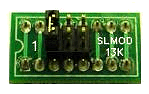
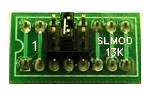
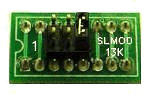
SLMOD13K - There are three different PTT configurations used by Kenwood, so you must set the PTT jumper as shown below for your radio. Be sure to see our radio wiring and jumper settings page for any special notes on your radio (menu settings, etc.).
NOTE: If your radio is not listed below, then we recommend trying jumper setting #1 first, and then setting #2. You will NOT damage your radio or the SignaLink if you use the wrong jumper settings, but your radio will not transmit properly (no output power, "hot" Mic, etc.).
|
|
Setting #1 - This configuration is the most common. It works with most Kenwood radios including the TS-140, TS-450S, TS-570D, TS-590S, TS-680, TS-690, TS-850, TS-870, TS-890S, TS-950, TS-990 and TS-2000/X. |
|
|
Setting #2 - This configuration is less common and is used by some radios including the TS-440, TS-711 and TS-811. Note that this setting enables a built-in dual diode, so that both PTT and Mic mute are activated as required by these radios. |
|
|
Setting #3 - This configuration works with the TS-940 only. |